

How to Accept a Digital Driver's License at Your Business
A digital driver's license is only useful to a business that can verify it. Here is what to settle before you accept one at the counter or online, with Connecticut's Mobile ID rules and NIST's draft guide as examples.
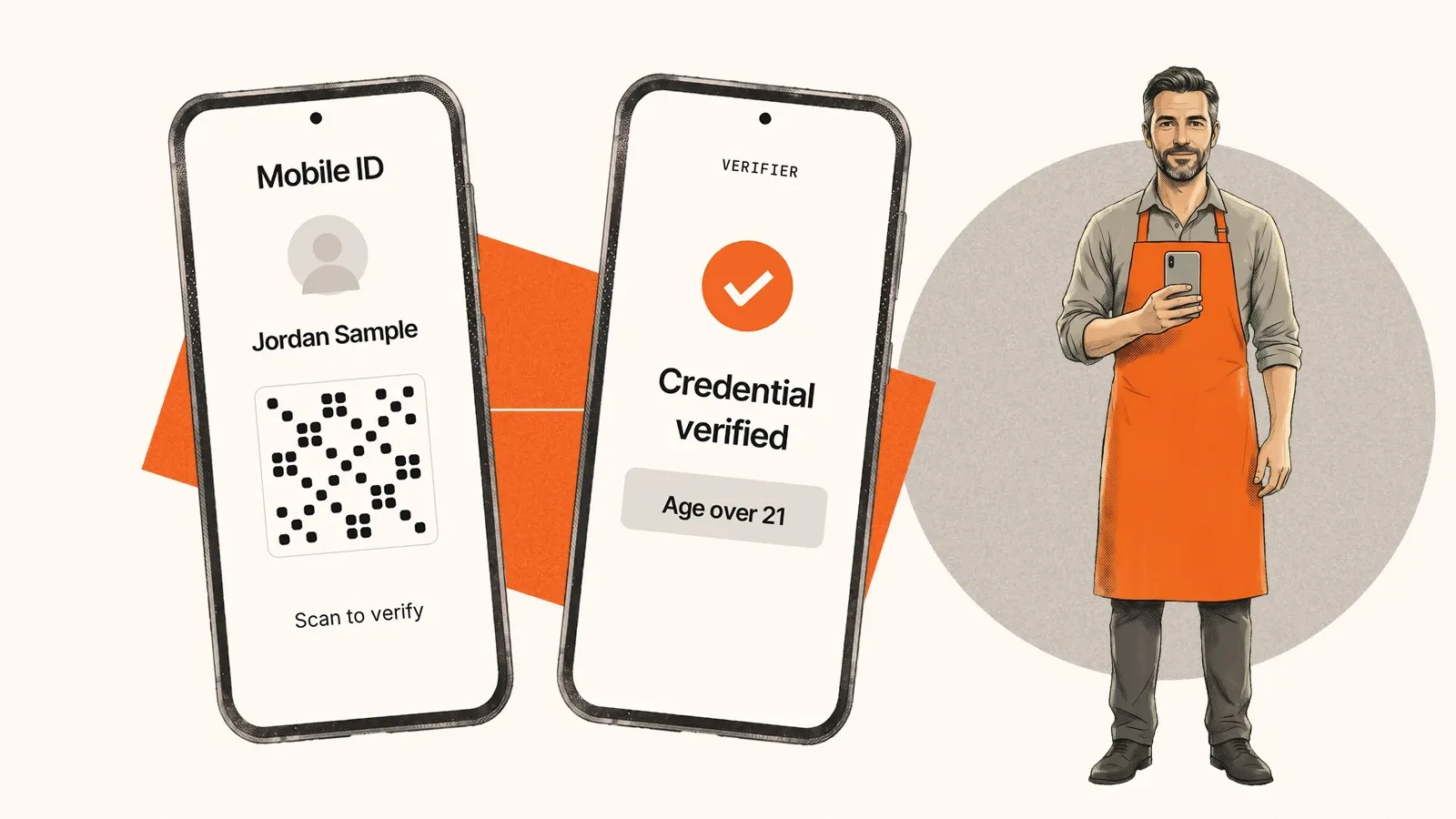
A customer holds up a phone showing a driver's license. Can your staff accept it? Usually not by looking at it. A digital driver's license is built to be checked by software, so a business that wants to accept one needs a way to run that check.
How you do it depends on where the customer is. At a counter, staff scan the customer's phone with a verifier app. Online, your website asks the customer's phone for the credential. These are two different projects with different tools.
What Connecticut tells businesses
Connecticut announced its Mobile ID on November 17, 2026, and the app launched the next day. It is the state's own app, not a credential in a phone's built-in wallet.
The state is clear about what a business may do. Accepting Mobile ID is optional. A business that does accept it "cannot accept Mobile ID as a flash pass": staff must use a compatible app that scans a QR code on the customer's phone and confirms the credential is authentic. Residents are told to keep carrying the physical card, and police will not accept the app in its place.
Other states set their own rules. Our Connecticut ID guide has the detail, and the state compliance guides cover the rest.
Why looking at the screen is not enough
A screenshot of a license and a mobile driver's license (mDL) can look the same on a phone. A photo is an image that anyone can edit or copy. NIST describes the information in an mDL as cryptographically protected, and a verifier checks that protection instead of judging how the screen looks. It is the same lesson as with plastic cards: reading an ID is not the same as verifying it.
At the counter
Staff use a verifier app or reader with the customer's phone in front of them. The standard behind in-person presentation is ISO/IEC 18013-5.
Check which states' credentials your verifier supports, and ask whether a result shows the credential is still valid as well as authentic. Plan for the check not working, too. A code that will not scan is an unresolved check, not evidence of fraud, and the fallback is usually the physical card.
Online
Your website or app sends a request to the customer's wallet, the customer approves it, and your server receives the response. That can happen on the phone that holds the credential, or start on a desktop and finish on the phone.
NIST published a second draft of its guide to accepting mobile licenses online on November 19, 2026, with comments open until December 20. It is draft guidance, not a requirement. NIST notes that the major platform providers use two different presentation protocols, so ask any provider which wallets, issuers and devices its flow has been tested with, and decide what you offer when a wallet cannot complete the request.
Ask for the age result, not the whole license
A bar or an online alcohol seller usually needs one fact: is this customer over 21? An mDL supports selective disclosure, where the business requests only what it needs and the customer approves the request. Where an age-over-21 result meets your legal requirement, you can run age verification without collecting a name, address, or license number. For the wider privacy picture, see Do Digital IDs Track You?
Where Stile fits
Stile's digital ID verification covers the online case. It is not a counter verifier app for staff. You start a verification from your server, the customer shares from a compatible wallet, and your server receives a signed result to match to the order or account.
Wallet availability varies by issuer, state and device. A credential that lives in a state's own app, as Connecticut Mobile ID does today, is not a wallet credential, so do not assume it can be shared online. When an mDL is not available, you can configure another method, such as document capture.
Sources: Governor Lamont and Connecticut DMV Announce Launch of Mobile ID, November 17, 2026; NIST SP 1800-42, second public draft, November 19, 2026. General information, not legal advice.
Common questions
Can staff accept a digital driver's license by looking at the phone screen?
Not as proof on its own. Connecticut says businesses cannot accept its Mobile ID as a flash pass and must use a compatible app that scans the QR code and verifies that the credential is authentic. Check the rules of each issuing state before you train staff.
Is my business required to accept mobile driver's licenses?
Connecticut says businesses are not required to accept its Mobile ID, and that acceptance will initially be limited. Requirements depend on the state and on the rules for your industry, so confirm them with your regulator or counsel.
What is the difference between accepting a mobile ID in person and online?
In person, staff use a verifier app or reader with the customer's phone in front of them. Online, your website or app requests the credential from the customer's wallet, either on the same device or from a desktop to the customer's phone, and your server receives the response. They use different tools and should be planned separately.
What should we do when a customer has no digital ID?
Keep another method available. Connecticut tells residents to keep carrying their physical card, and an online flow can offer document capture when a wallet or credential cannot complete the check.
Share this article