

Capabilities
Live presence, decided in the capture
Not the same as identity verification Liveness detection confirms live presence. Identity verification separately matches the face against a trusted credential or reference.
Passive by default
Software analyzes the capture without asking for a specific action, so the flow carries minimal instruction and little visible interruption.
Defense in layers
Texture, depth, challenge-response, and capture-channel checks run against every frame path. A spoof has to beat all of them in one capture.
Certified PAD
Liveness tested by an NVLAP-accredited lab to ISO/IEC 30107-3 PAD Level 1 and Level 2.
Defense layers
Four layers between an attacker and a pass
Each layer targets a different class of attack. A spoof has to beat all of them inside one capture.
Texture and reflectance analysis
Examines skin detail, light reflection, moire patterns, and display artifacts. Primarily addresses printed photos, replay screens, and masks.
ISO/IEC 30107-3 PADSimulatedTested samples
Simulated input Result printed photo rejected replay screen rejected paper mask rejected Simulated inputs, not response fields. The result names no attack species.
Depth and motion mapping
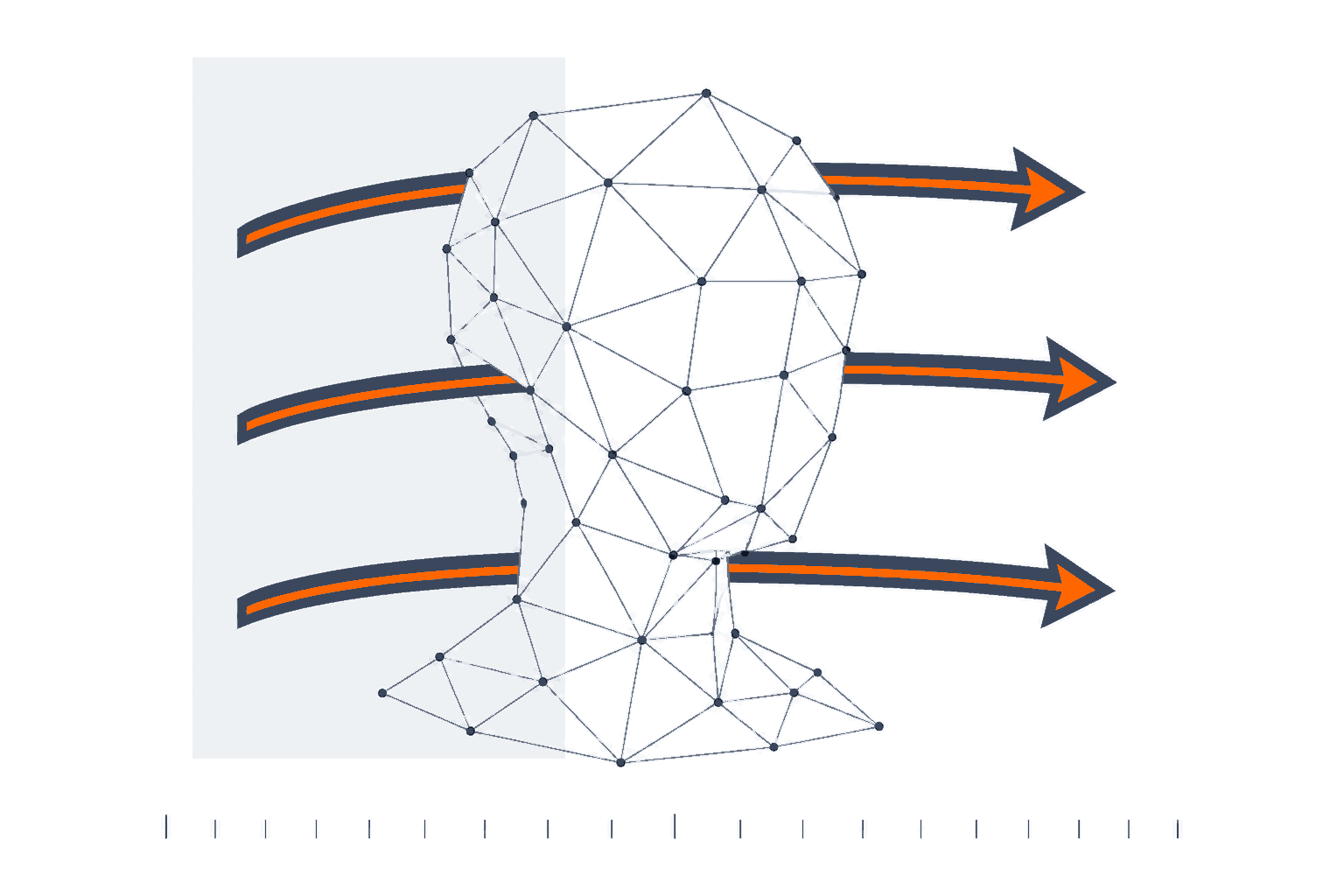
Measures facial structure, optical flow, and natural movement across frames. Primarily addresses flat images, screens, and some masks.
Challenge-response, when you want it
Tests whether the capture responds correctly to a changing prompt or stimulus. Primarily addresses replays and preconstructed spoofs. Available in active and hybrid modes.
Compare capture modesConfiguration
- mode
- passiveactivehybrid
- prompt
- nonehead turnsystem-driven
Injection attack detection
Checks whether media entered through the expected camera path. Primarily addresses deepfake video, virtual cameras, and injected replays. This capture-channel defense sits outside the PAD standard's scope, and we say so.
Scope and standardsSimulatedChannel signals
- flaggedvirtual camera
- flaggedinjected replay
- flaggeddeepfake video
Simulated inputs. These signals feed the result and are not returned as fields.
Face match against the credential
Liveness confirms presence. Face match separately ties the live face to the document portrait or wallet credential in the same session.
Identity verification1 sessionLiveness result
POST /v1/liveness/:session_id/finish
- status
- passed
- face_match_passed
- true
- session_status
- verified
Liveness and face match run on the same capture and return one signed result. This field is null where the match folds into the liveness result instead of gating separately. Source: API reference.
No persistent biometric record
Stile processes identity and biometric data during each check. By default, it deletes raw ID images and biometric captures when the check finishes.
Privacy modelretention policy
deleted on completion
Raw captures and biometric templates, by default.
Live demo
Try to fool it
Pick what the camera sees. A spoof has to beat every layer in one capture, so the interesting part is which one stops it.
Capture result
- Verdict
- Pass. Live presence confirmed.
- Simulated artifact
- Bona fide presentation, the real thing
What the layers saw
- Texture and reflectancepassed
- Depth and motionpassed
- Challenge-responsepassed
- Capture-channelpassed
Layers run in order. Once one rejects a capture, the rest are not reached.
Outcome
Run a passive check against your own camera.
Sandbox keys are free and the first verification takes minutes.
Capture modes
Passive, active, and hybrid capture modes
Pick the interaction model that fits your flow. Product design and configuration affect performance more than the capture-mode label alone.
Capture mode is an interaction choice, not a security ranking. Independent testing has found wide performance variation inside both the active and the passive categories, so evaluate the specific product and configuration rather than the label.
Which capture mode fits your flow?
Passive
- How it works
- Software analyzes a capture without asking for a specific action, often examining visual and motion signals for spoof artifacts.
- User experience
- Minimal instruction and little visible interruption.
- Typical use case
- Conversion-sensitive flows that require a short capture with limited user effort.
Compare all 3 side by side
| Capture modes | How it works | User experience | Typical use case |
|---|---|---|---|
| Passive | Software analyzes a capture without asking for a specific action, often examining visual and motion signals for spoof artifacts. | Minimal instruction and little visible interruption. | Conversion-sensitive flows that require a short capture with limited user effort. |
| Active | The system asks the person to perform an action such as turning the head or following an on-screen cue. | A visible prompt adds time and requires the user to understand and complete an action. | Flows that can accommodate an explicit prompted action during capture. |
| Hybrid | The system combines unobtrusive analysis with a lightweight or system-driven challenge. | Low cognitive effort with some additional capture control. | Flows seeking limited user effort alongside a time-varying challenge. |
How it works
Capture, verify, signal
Three steps. Create a session, run the capture, receive a signed decision.
Capture
The merchant creates a session. The hosted iframe collects the document and presenter evidence in one flow.
Verify
Document authenticity, passive liveness, and face match run server-side. The user never handles the final decision.
Signal
A signed webhook delivers the outcome. Raw PII stays in Stile; verify the signature before acting.
Privacy
A transient-processing architecture
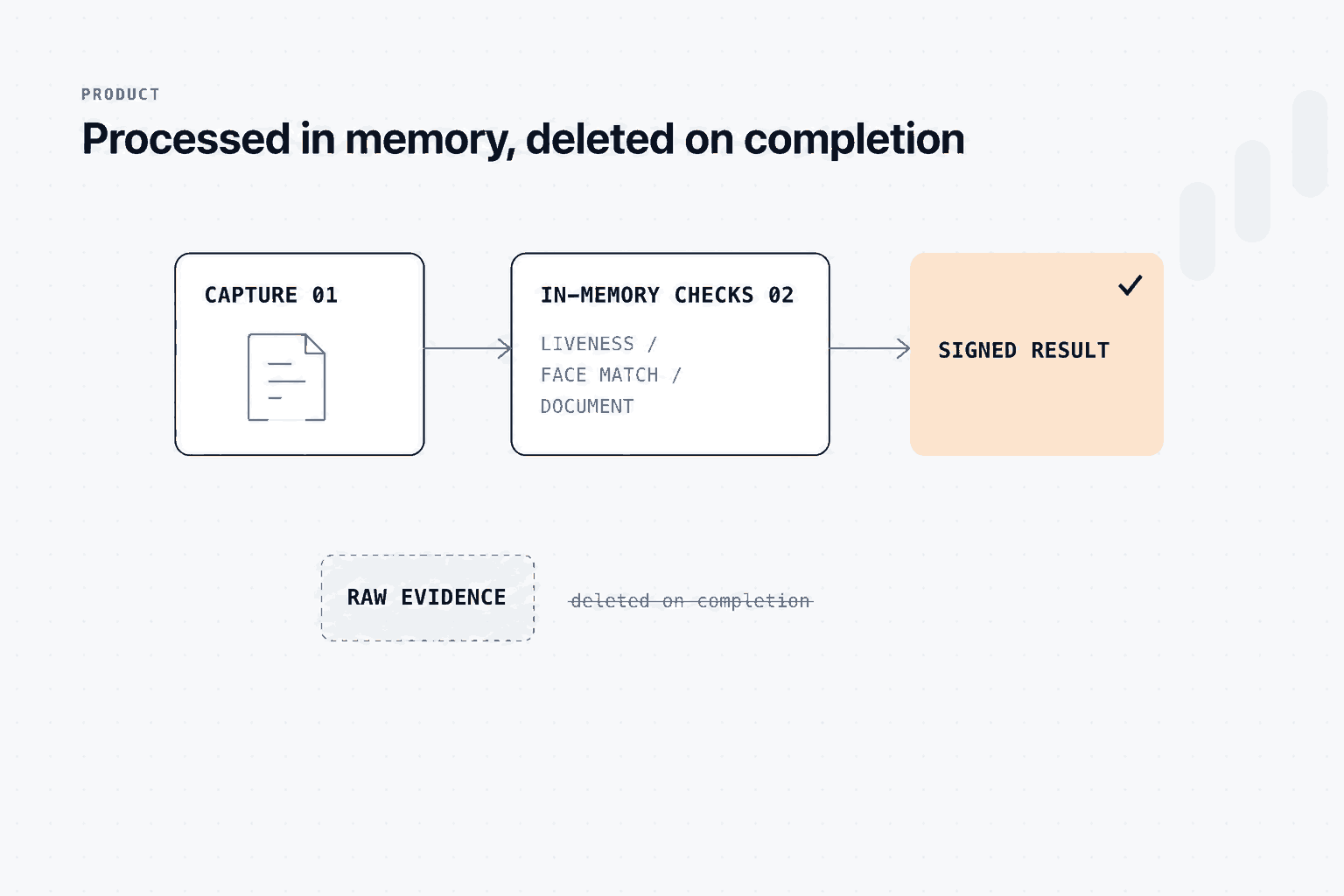
Stile uses a transient-processing architecture designed to minimize persistent identity records rather than claiming that it never handles personal data. Stile processes identity and biometric data during each check. By default, it deletes raw ID images and biometric captures when the check finishes.
What leaves the check
Stile may retain signed verification outcomes, audit metadata, and one-way hashed anchors. The anchors support deduplication and returning-user checks, and they reduce the need to retain raw captures, but they should not be treated as anonymous.
Attribute disposition
- liveness_result
- returned
- face_match_result
- returned
- status
- returned
- raw_frames
- never
- biometric_template
- never
- id_images
- never
Audit
Proof of the check that ran
Every decision records the method, the outcome, and an evidence hash. The webhook is signed with HMAC-SHA256, so the proof travels with the result.
What you can hand to a reviewer
Every completed session records the capture method, the liveness outcome, the timestamp, and the signed event delivered to your system.
Agent-ready
Add liveness detection in one prompt
Paste this into Claude Code, Cursor, or your agent of choice. It carries the endpoints, the session flow, and the webhook verification rules.
stile-liveness-prompt.md
Add Stile liveness and face match to this app.

1. Server: POST https://api.stile.id/v1/verification_sessions
   with checks ["liveness", "face_match"]. Keep the API key server-side.
2. Client: mount the widget from @stile/widget with the session
   client_secret (session-url mode).
3. Webhook: verify X-Stile-Signature (HMAC-SHA256) before trusting
any liveness or match result.Assumes a server you control can hold the API key and receive the webhook.
Evidence
Claims a lab can check
Each line below states what was tested and where the test stops. Scope is attacks at the camera.
Reading the statuses
- Supported
- Shipped and verifiable today.
- Architecture
- A design property of the system, not a certification.
- Target
- Being worked toward. The row says where it stands.
Constants
PAD L1 + L2
iBeta conformance letters, July 2026
Zero successful spoofs across print, replay, and 3D mask attacks.
6 PAI species
ISO/IEC 30107-3 test protocol
Roughly 150 attack presentations per species, alternated with bona fide captures.
deleted on completion
retention policy
Raw ID images and biometric captures, by default. Signed outcomes and hashed anchors may persist for audit.
HMAC-SHA256
API reference
Every webhook signed, with replay-safe timestamps.
Standard by standard
iBeta PAD Level 1 and 2
SupportedISO/IEC 30107-3 presentation attack detection, tested by an NVLAP-accredited lab, with zero penetration required to conform. Scope is attacks at the camera. Not accuracy or bias testing, and not SOC 2.
Injection defense
ArchitectureCapture-channel checks for virtual cameras and injected media. Injection attacks sit outside ISO/IEC 30107-3, and conformance standards for them (CEN/TS 18099) are still emerging.
ISO/IEC 18013-5 mDL
SupportedIssuer-signed mobile driver's licenses with selective disclosure, as the wallet path in the same session.
Signed webhooks
SupportedHMAC-SHA256 on every event, with replay-safe timestamps.
GDPR
ArchitectureData minimization by construction: raw evidence is deleted on completion by default, and only signed outcomes and hashed anchors persist.
SOC 2
TargetReadiness assessment phase for Security, Availability, and Confidentiality. The examination has not started and is performed by an independent CPA firm once readiness completes.
Pricing
Start free. Pay per check.
Liveness rides the same session as document, face match, and age checks.
No card required. Full API, dashboard, and webhooks.
- 100 full checks every month
- All four components included
- Dashboard, API, and signed webhooks
Component pricing. A full check bundles all four components at 21% below the component sum.
- Liveness alone: $0.05 per check
- ID document $0.23, face match $0.10, age check $0.10
- Pay only for the components you run
MSA, SLA, dedicated support, and reviewer workflows.
- Volume pricing and annual terms
- MSA and SLA
- Dedicated support and reviewer workflows
FAQ
Common questions
Include liveness in the checks array when you create the verification session, then mount the widget with the returned client secret. The result arrives on the signed webhook when the session completes.
Yes. Liveness is a component you can request on its own, and it is billed as a component rather than as a full check. Face match is a separate component that ties the live face to a credential, so request both when you need identity as well as presence.
Passive. The capture asks for no specific action, which keeps the interruption short. Active and hybrid modes are configuration options when your flow can carry a prompt.
Presentation attack detection covers attacks at the camera. Injection attacks enter through the capture channel instead, so Stile pairs PAD with capture-channel checks for virtual cameras and injected media. Conformance standards for injection defense are still emerging, so we describe that layer as an architecture property rather than a certification.
The liveness result, the face match result when you requested one, the session status and timestamps, and an evidence hash. It does not return the raw capture, the biometric template, or an attack-species attribution.
Stile processes biometric data during the check and, by default, deletes raw captures when the check finishes. Signed outcomes and one-way hashed anchors may persist for audit and returning-user checks under your configured retention policy.
Proof with Privacy
Add liveness detection to your verification flow
Transient processing, no retained customer PII. One session, a signed result, and nothing left behind by default.
Signed webhook
verification_session.verified
- object
- verification_session
- status
- verified
- client_reference_id
- order_1934
- livemode
- true
- completed_at
- 1741564800
Selected fields from the event's data.object. Every delivery carries a Stile-Signature header holding an HMAC-SHA256 of the timestamp and the raw body, keyed with your endpoint secret. The snapshot carries outcome fields only, so captures, biometric templates and document images are never part of it.